Release Notes
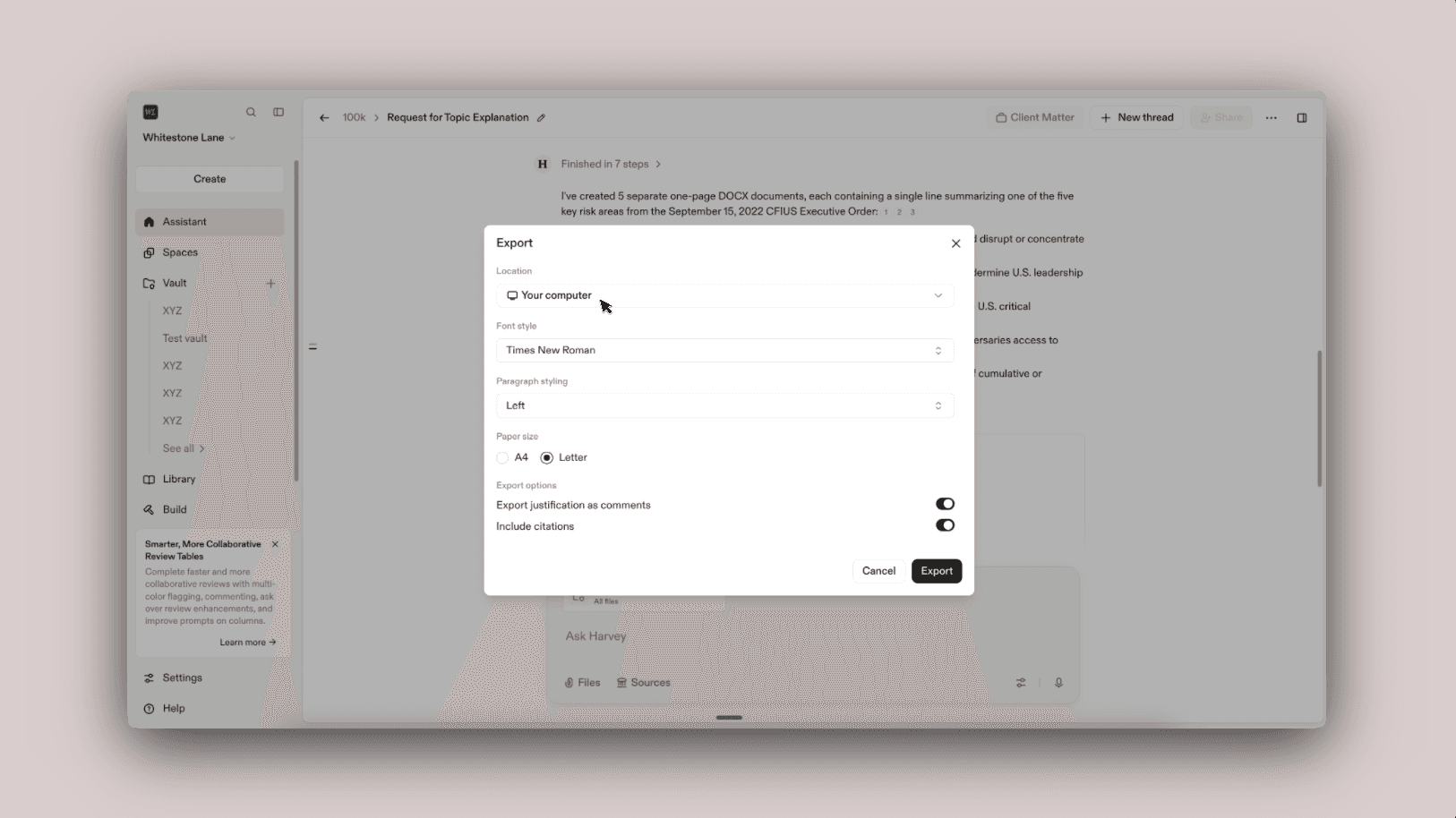
Export to Vault as Destination
Export Harvey outputs directly to vaults
What’s New
Keep your work organized and ready to collaborate on by saving Harvey-generated work straight to vaults.
Why It Matters
Exporting to a vault lets you skip the extra steps of exporting and re-uploading files. This keeps your work organized in one place and ensures your vault stays the up-to-date record of everything your team has generated.
How to Use
- Select Export from the top menu bar where available
- Choose Vault as the location
- Select the specific vault you want to send the export to
- Select Export to confirm
Harvey will export and upload the file in one step, keeping the same output format as the export, for example .docx, .xlsx, or .csv.
Notes and Limitations
- You can only export into vaults you have upload access to — other vaults, such as view-only projects, won't appear as options
- Uploading to a vault resets its retention timer, since the vault’s "last updated" date is refreshed
FAQs
Q: Can I export to a subfolder within a vault?
Not currently. Files are exported to the top level, and can be moved into the appropriate subfolder afterward.
Q: Can I rename the file I’m exporting today?
Not currently. Files are exported with their default names, but you can rename them after export.
Q: Can I export into a synced folder?
No. Synced folders only support synced files. Once a folder is set to synced, you can’t upload additional files into it.