Enable the Box Integration for Your Workspace
Enable the Box integration so users in your workspace can upload files and folders from Box directly into Harvey.
Last updated: Mar 18, 2026
Overview
The Box integration allows your organization to access and upload Box files directly into Assistant, Workflows, and Vault — without downloading documents locally.
As an admin, you only need to enable this integration once. After it’s enabled, users can connect their own Box accounts and start uploading content immediately.
Before you begin, confirm the following:
- You’re a workspace admin in Harvey
- Your organization uses Box
- Your users have valid Box accounts with access to the files they need
Supported File Types
Refer to Uploading Files to Harvey for a list of support file types and troubleshooting. Please note, files like .boxnote, .boxcanvas, and Google-native formats stored in Box are not supported.
Enable the Box Integration
Note: Once enabled, users are limited to viewing, selecting, and uploading only the files and folders they have access to in Box.
- Go to Settings in Harvey.
- Select the Integrations tab.
- Locate Box in the list of available integrations.
- Select Enable, then Continue.
- Confirm the integration is active.
Use the Box Integration
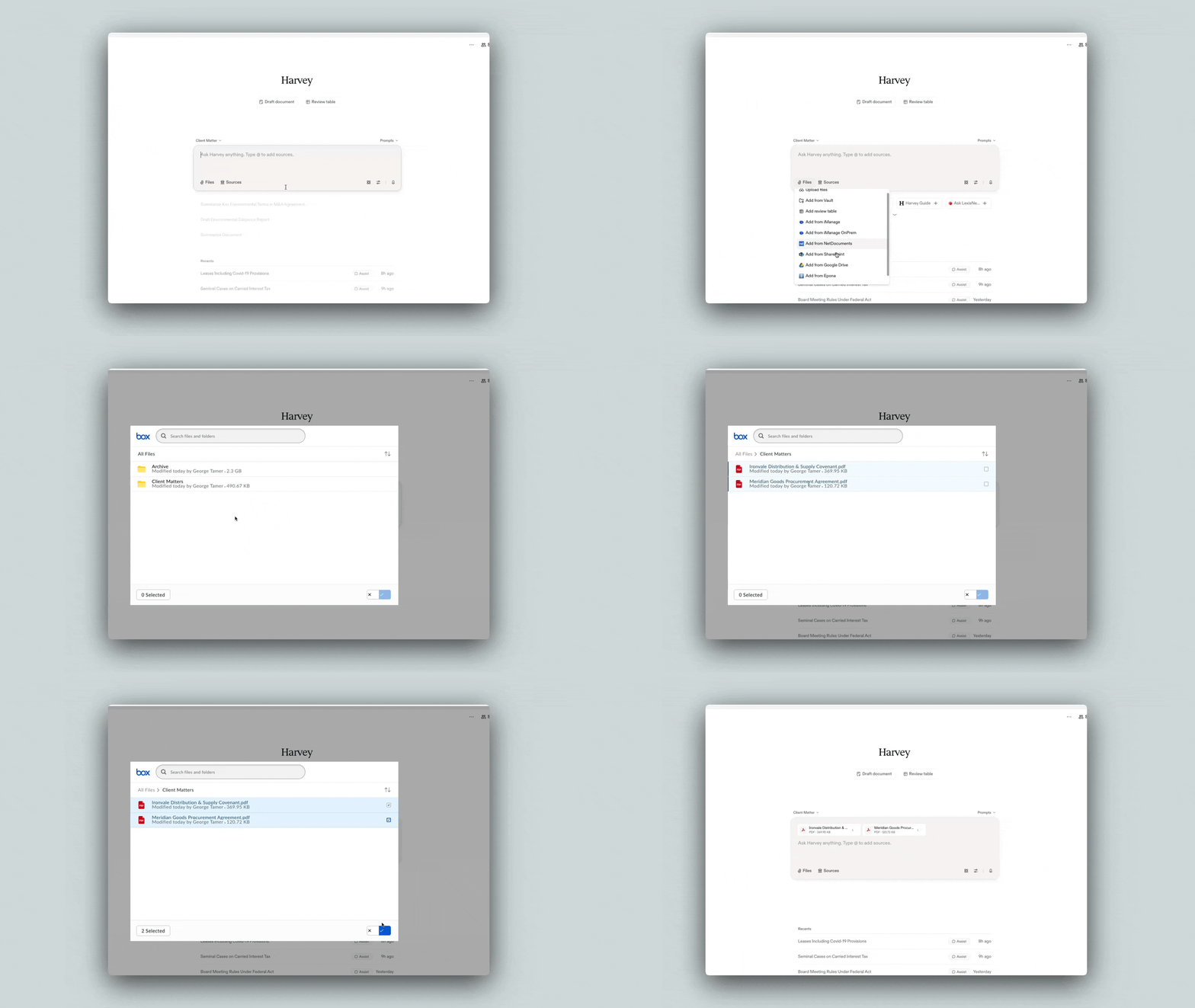
Once enabled, users can expect the following:
- Users will see an Add from Box option when uploading files in Assistant, Workflow agents, and Vault
- Each user must authenticate their own Box account via OAuth on first use
- Users can only select and upload files and folders they have permission to access in Box
Tips for Success
- Communicate enablement to users. Let your team know the integration is available and where to find Add from Box.
- Encourage folder uploads for large workflows. Uploading folders can reduce repetitive work when handling multi-document matters.